WashApp is a mobile application designed to streamline laundry service bookings.
Client
Laundry Shop Owner
Start Date
Jan 06, 2018
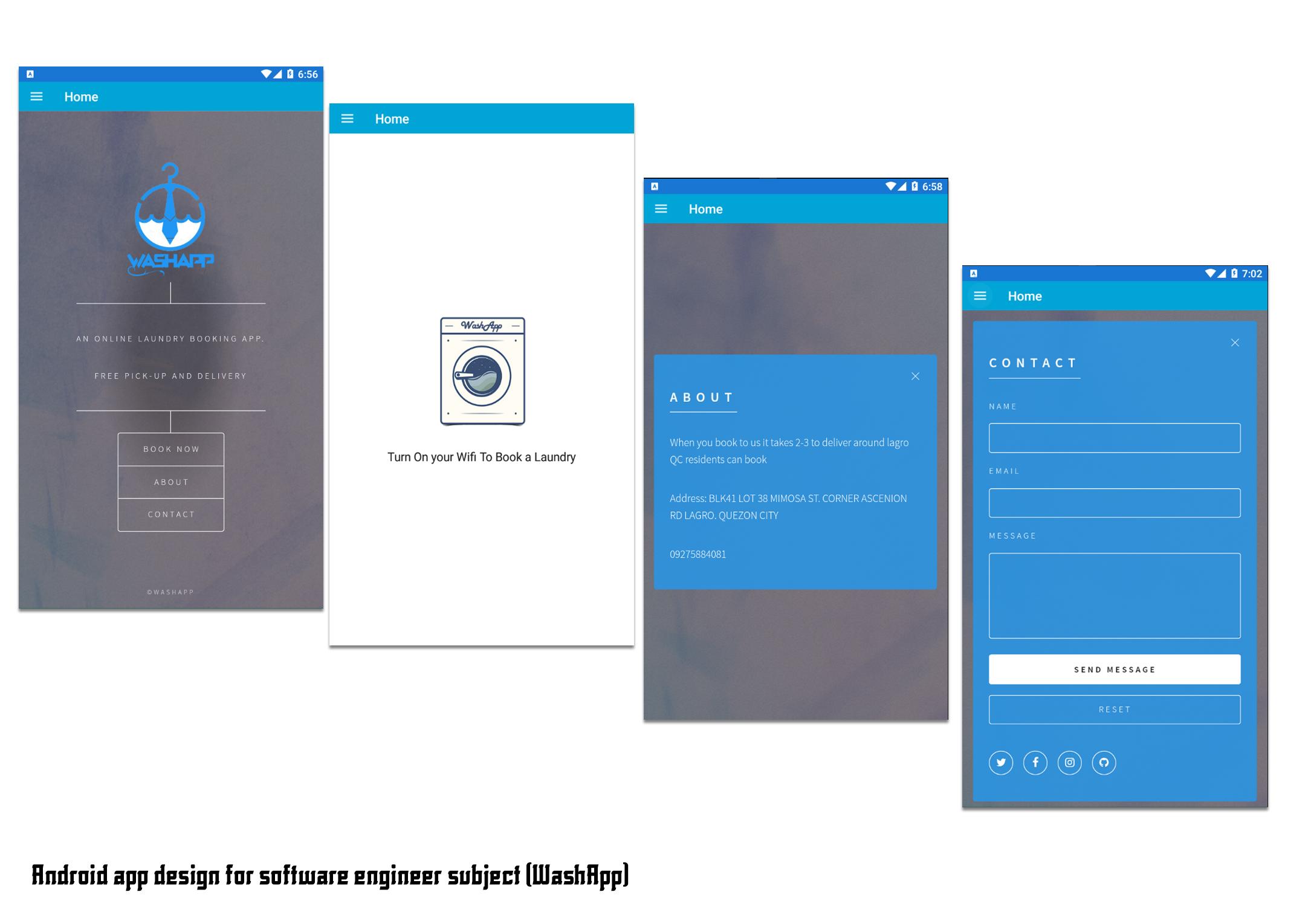
Main Screen for booking, about, contact screen
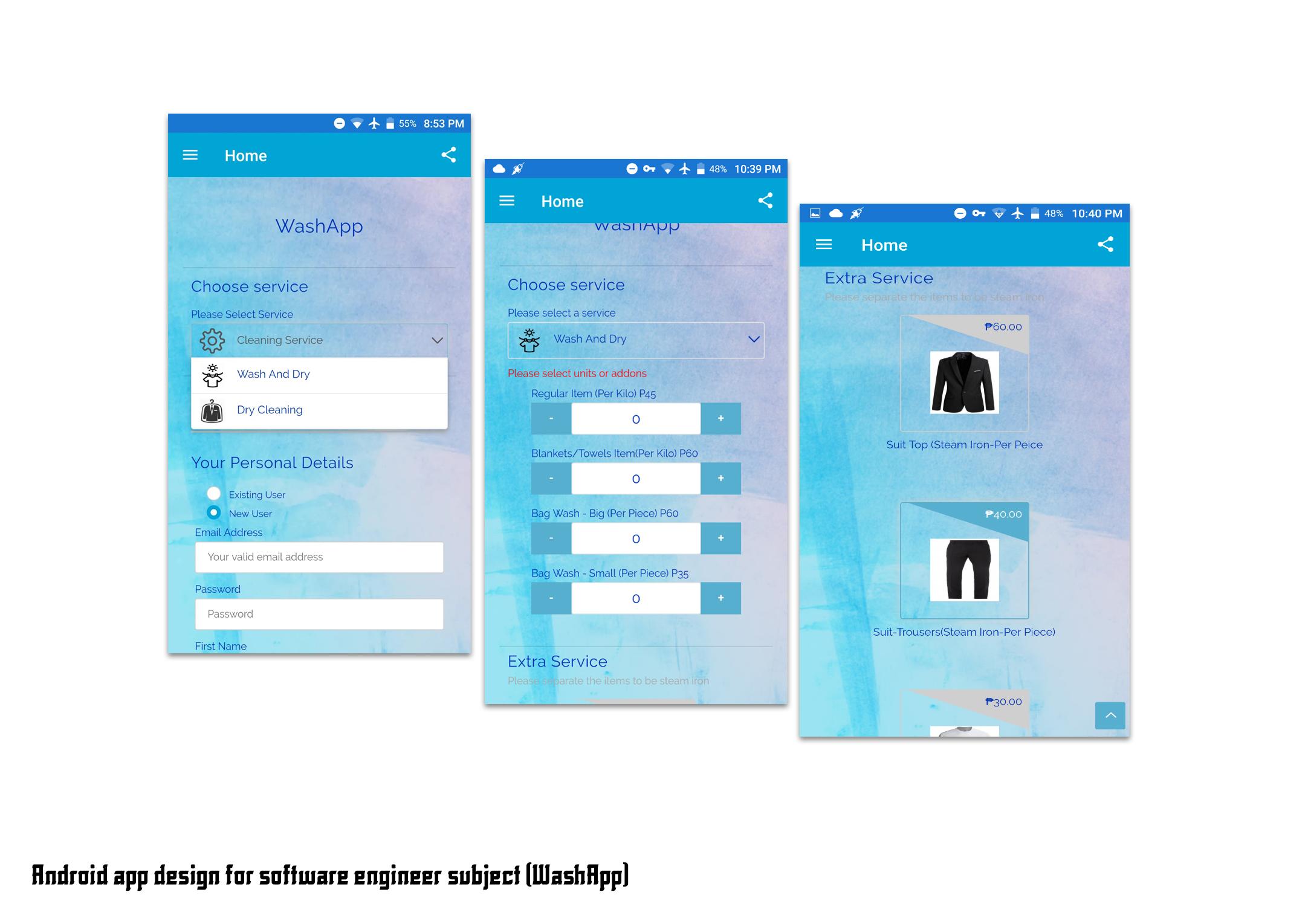
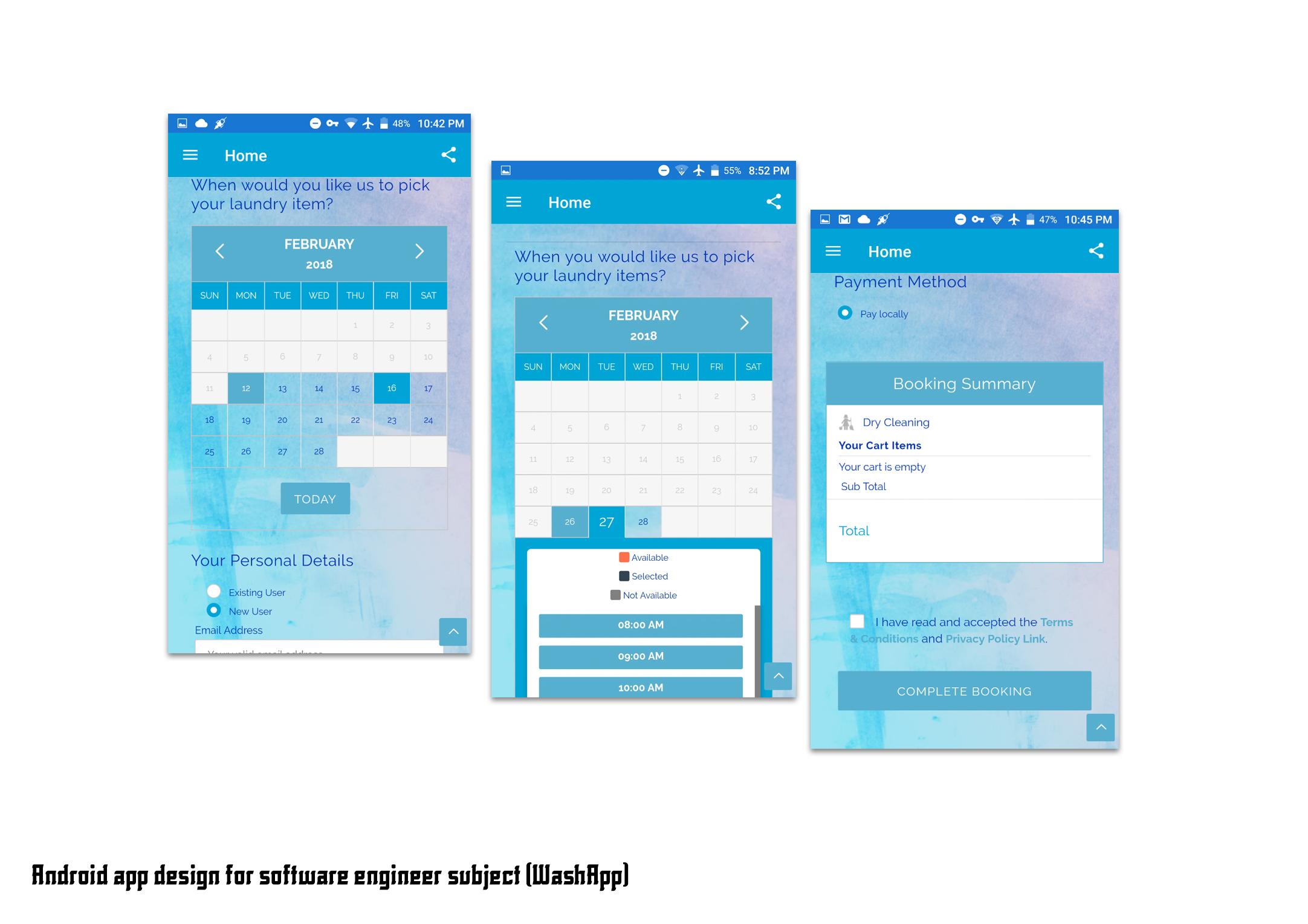
Booking Screen
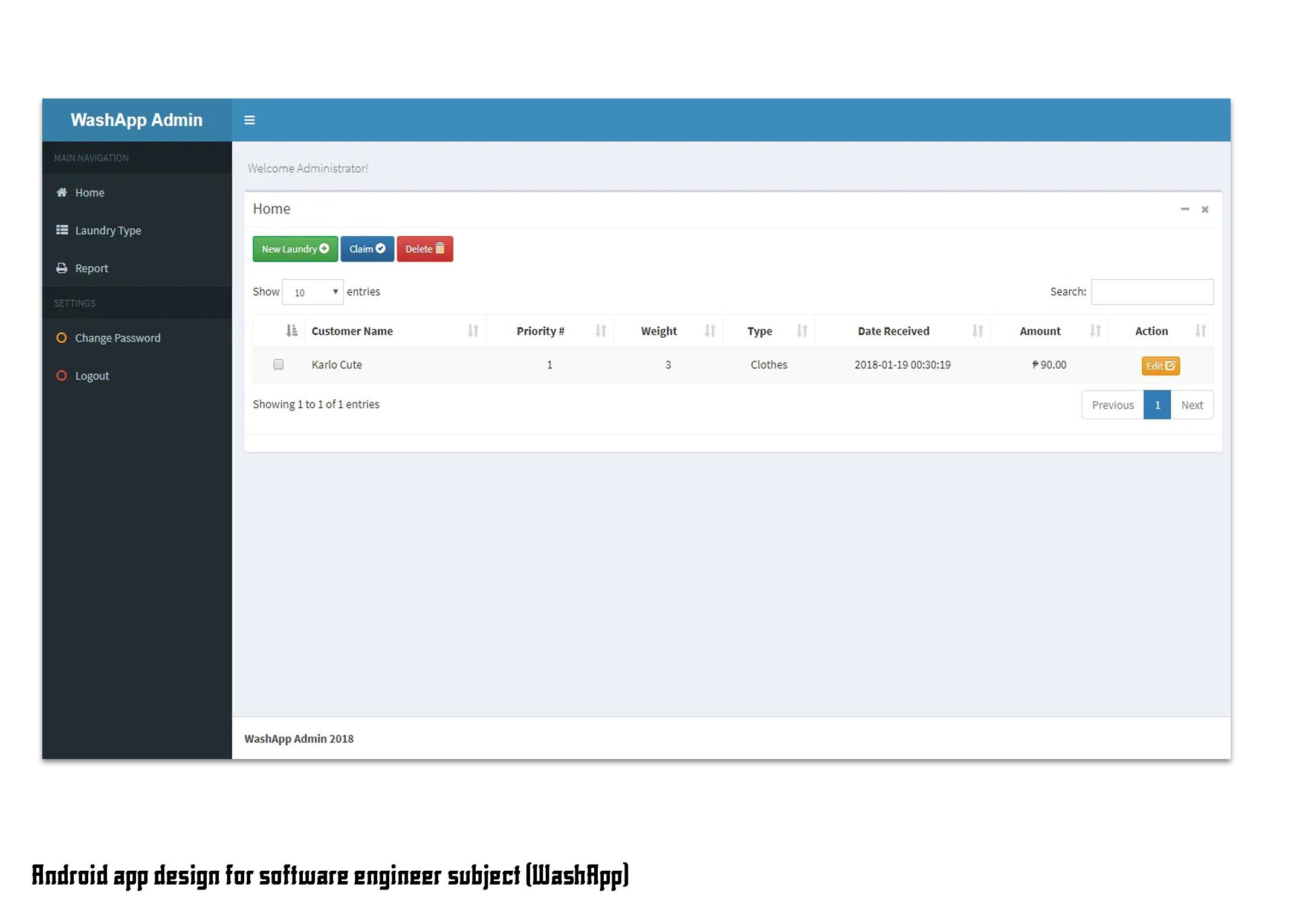
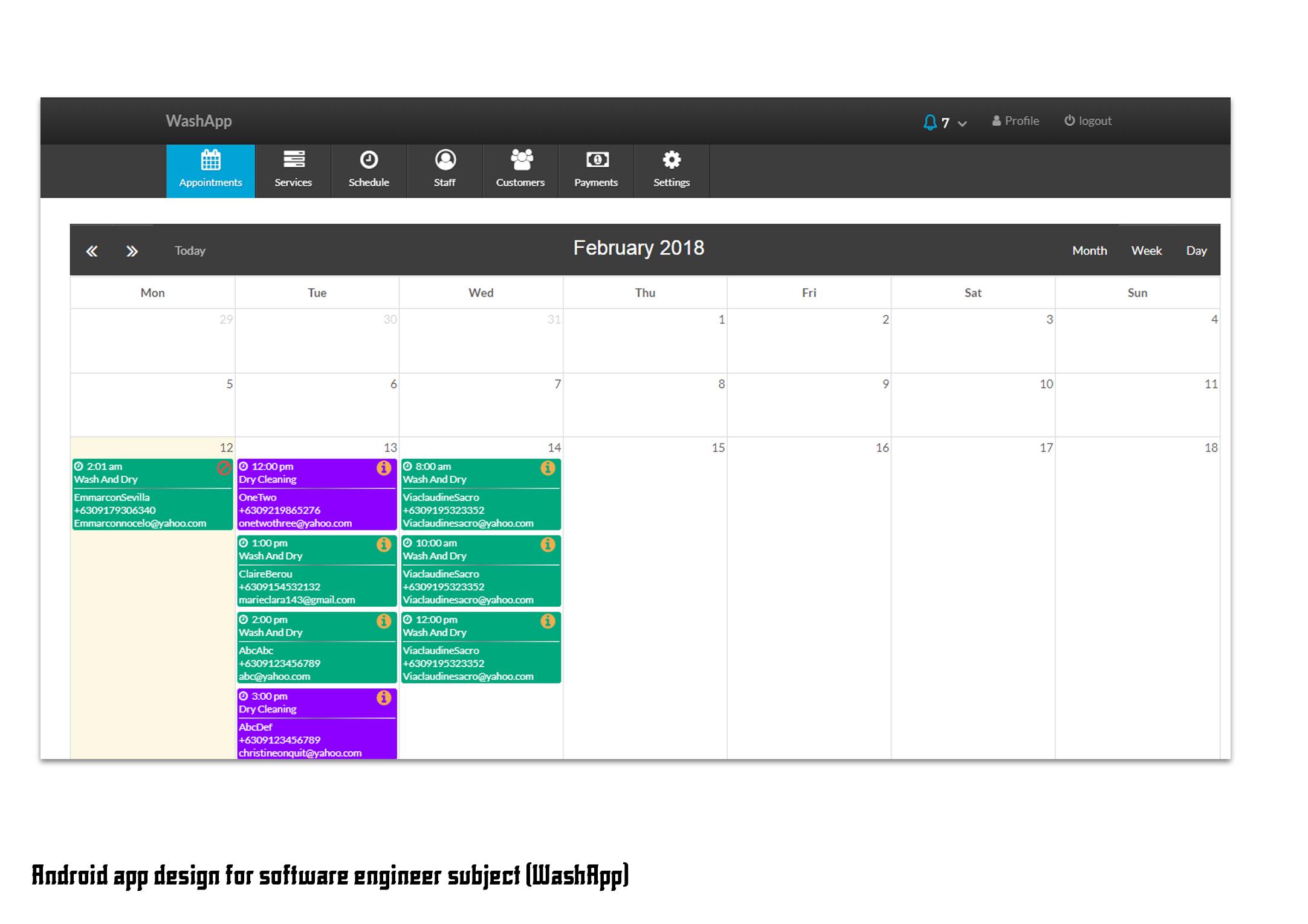
Web Admin
Description
WashApp is a mobile application designed to streamline laundry service bookings. It provides an easy-to-use platform for users to schedule laundry pick-up and delivery services with just a few taps. The app is geared toward simplifying household chores while offering a seamless digital user experience for residents within a specific service area.
Key Features:
User-Friendly Home Screen: Direct access to key actions – Book Now, About, and Contact.
Service Selection: Options for Wash and Dry or Dry Cleaning, including unit-based selection (per kilo or per item).
Extra Services Section: Steam ironing for various clothing items (e.g., suit tops, trousers) with clear pricing.
User Registration/Login: Separate flows for existing and new users with form validations.
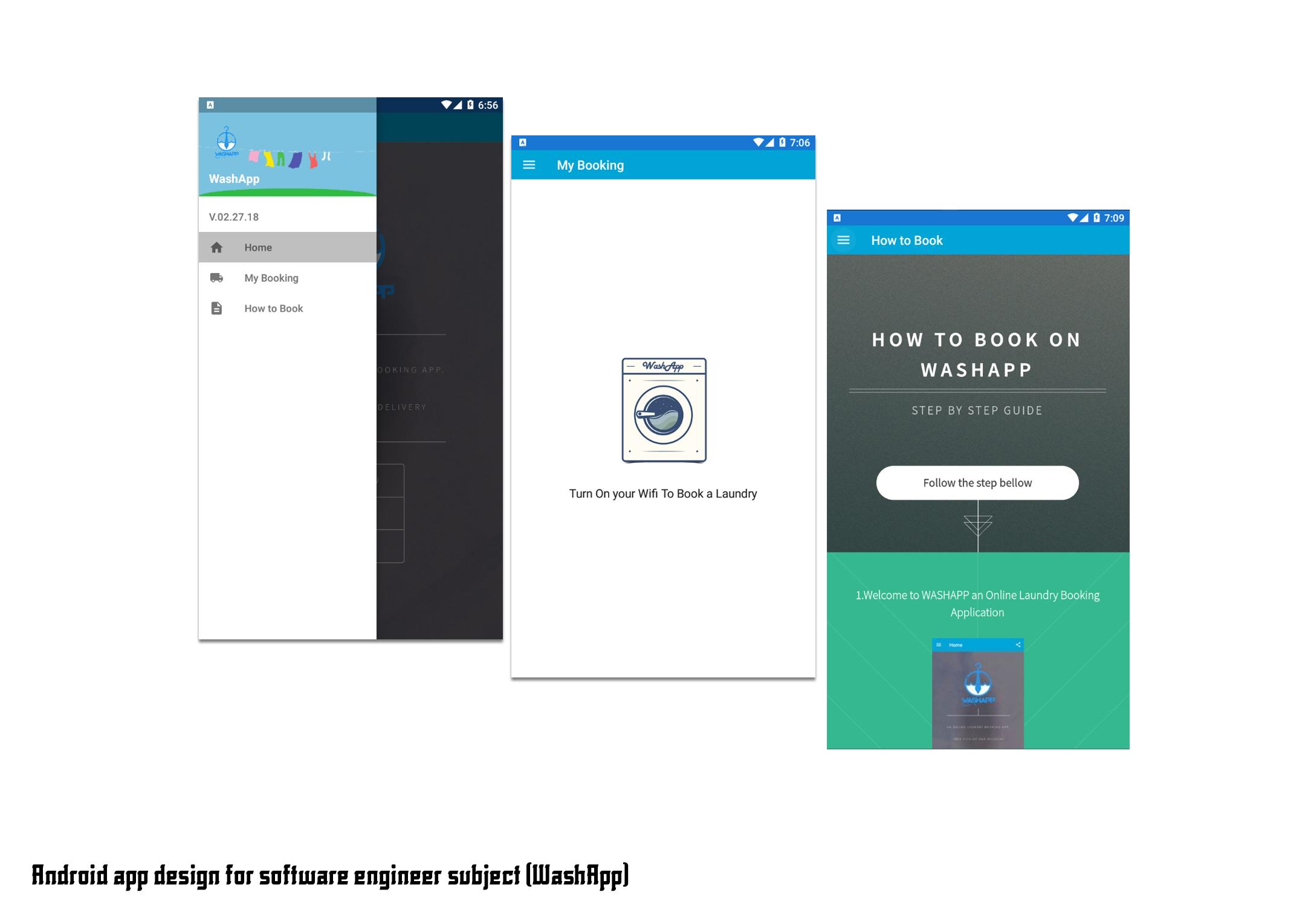
WiFi Check Notification: Alerts users to connect to WiFi to enable booking.
Contact Form: Allows users to send inquiries or feedback directly from the app.
About Section: Provides service area and estimated delivery times.
Admin Dashboard (Web View): Includes calendar-based appointment tracking, customer management, service tracking, and payment handling.
Technologies Used:
Frontend:
Android Studio – Main IDE used for developing the Android application
XML – For designing Android UI layouts
CSS – For styling the web-based dashboard interface
Backend (Admin Panel):
Web-based (Built with PHP and MySQL or Firebase for real-time database)
JavaScript – Used in the admin dashboard (web-based component)
Other Tools:
SQLite or Firebase Authentication (for user data and login)
Google Material Design Guidelines
XML for UI elements
Android Navigation Drawer for menu
Design Highlights:
Minimalistic Interface: Clean UI with intuitive navigation and soft color gradients.
Consistent Color Theme: Light blue and purple gradients provide a calming aesthetic.
Visual Icons and Illustrations: Helpful icons guide users through each step (e.g., washing machine icon, clothing icons).
Responsive Layouts: Ensures functionality across different screen sizes.
Flat Design Elements: Ensures the modern feel of the app using flat buttons and card layouts.
Integrated Social Media Footer: Enhances communication and support through clickable icons.